


Unreal Engine Animation Fundamental
- ychen3129

- Jun 8, 2021
- 3 min read
Overview
Skeleton
Skeletal mesh
Animation clips: Animation sequence, animMontage, Blend space
Animation Blueprint: Event graph, AnimGraph
Physic Asset
Player controller blueprint, Character Blueprint
________________________________________________________________________________
When you open up a skeleton asset file, you will open an animation editor window

You will see the skeleton tab, mesh tab, animation tab, Blueprint tab, and physics tab.
These are the basic structure for the animation system in UE4

A Skeleton is the base of the animation system in UE4.
Skeleton is the joint Hierarchy that drives the character movement.

To show the skeleton on the character, select Bones> all hierarchy


The newest version of UE4 do have option to create control rig inside UE4 to animation the character.

Check out this video for more information https://youtu.be/y2WzNvJZk0E
In General, the more standardized approach today is that all the rig and animation will be done outside of the UE4 with 3D software like Maya or Blender. ( The UE4 control rig system might one day take over as it is now still developing)

_________________________________________________________________________________________
Retarget Manager
Animation can be retargeted to different skeletal mesh which associated with different skeleton.
So animation can be reused.
Note: Animation blueprint can be retargeted too.

(The animation retarget is really interesting and useful, I will write another blog about animation retarget in UE4)
_______________________________________________________________________________
A skeletal mesh is the Geo that was skinned to the skeleton.
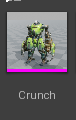
One skeleton can have multiple skeletal meshes associated with it.
You can switch between the meshes

The asset detail tab contains the major settings for the skeletal mesh.

Skeletal meshes and skeleton were usually created with DCC export out as FBX, then import into the engine.
Notice that, under the mesh section, the skeleton is set to a skeleton which unchangable.

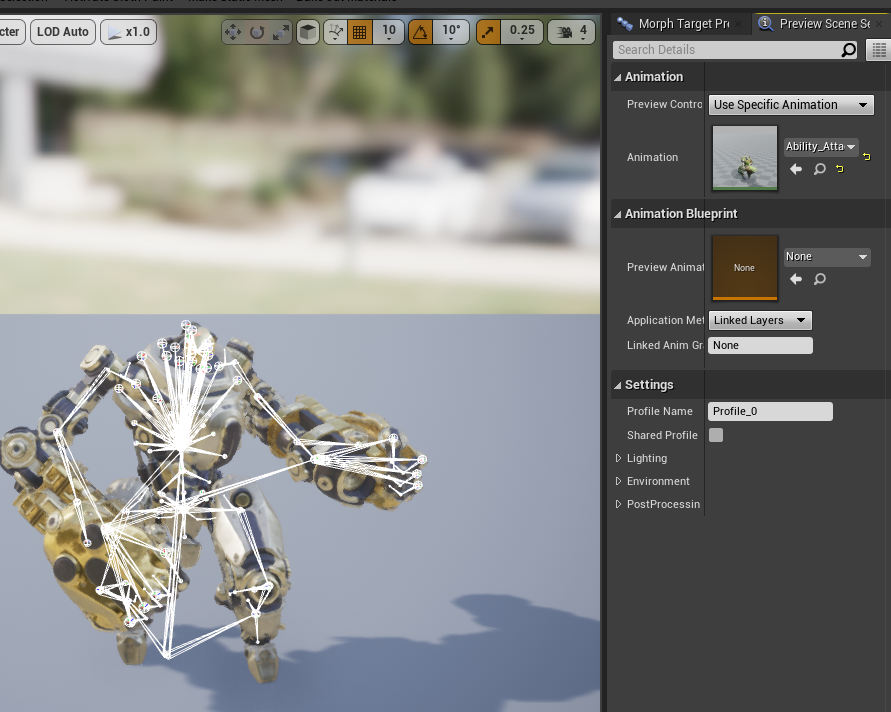
You can use Preview scene setting tab to preview animation clips on the mesh
__________________________________________________________________________________________
Animation clips
Green: Animation sequence
Purple: Montage
Blue: BlendSpaces
Animation sequences are the animation clips/assets that were animated/created with DCC export out as FBX, then import into the engine

Animation Montages (or, "Montages", for short) enable a wide variety of animation effects.

Section/Group/slots: contains animations
Curves: You can use Animation Curves to change the value of a Material parameter or a Morph Target while an animation is playing.
for example: change color of materials
notifies: provide a way for animation programmers to set up events to occur at specific points during an Animation Sequence.
for example: add sound, particle effect

Blend Spaces are special assets which can be sampled in AnimGraphs that allow for blending of animations based on the values of two inputs.

_________________________________________________________________________________________
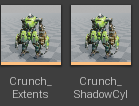
Physic Asset was created from the skeleton mesh, with rigid body component so that we can start deforming. A Physics Asset is used to define the physics and collision used by a Skeletal Mesh.
__________________________________________________________________________________________
Animation Blueprint was created from the skeleton mesh.
This is all the logic is driven.

you can right-click on skeleton mesh>Create>anim Blueprint
to create a animation blueprint

Anim Graph
The AnimGraph is used to evaluate a final pose for the Skeletal Mesh for the current frame.
State Machine
The conditions that need to be met to go from different states in the animation
Define the series of various state
Define the circumstances in which character may enter or exit each state

Check out this tutorial on animation state machine https://youtu.be/094zfyog_z4
Event Graph
Every Animation Blueprint has a single EventGraph, which is a standard Graph that uses a collection of special animation-related events to initiate sequences of nodes. The most common use of the EventGraph is to update values used by Blend Spaces and other blend nodes to drive animations within the AnimGraph.
__________________________________________________________________________________________


Comments