


VAT Convert Tool in UE4
- ychen3129

- May 12, 2022
- 1 min read
I recently purchase a Flock plugin in the unreal engine marketplace. It was not just a great tool for doing some amazing flocks FX, but it comes with a Simple VAT animation converter in Engine.Here is an example result, I used it to convert a fox running animation to vertex animation texture animation. Super simple to set up. No need to jump to other DCC like Houdini or 3d Max to do the conversion.
Thanks to Justin Kiesskalt. Here is the link to his plugin:

I'm going to skip how to set up the plugin and go straight to how I convert the skeleton animation to VAT animation.
I'm going to use the fox in Animal Variety pack
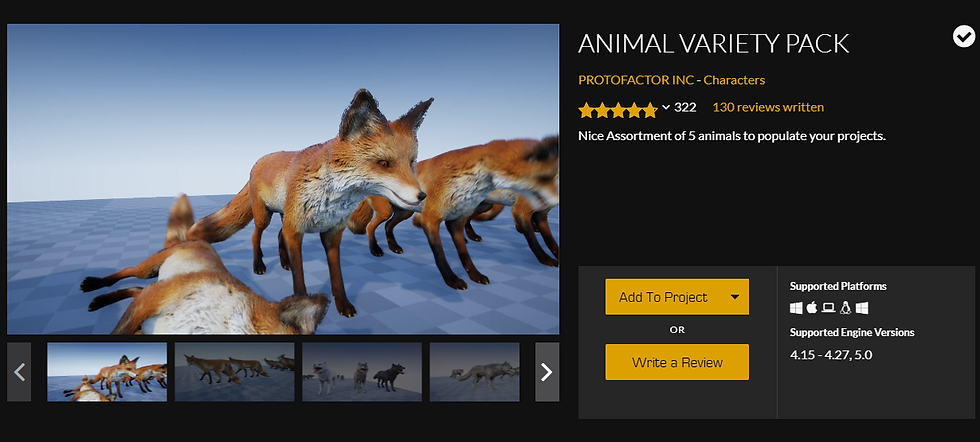
first open its animation

if you have plugin install correctly, you should see the three icon on the tool bar

first click on make VAT mesh icon
select a folder to store it

this will generate the geo

Then click on make VAT animation button

This would generate the VAT textures

Make material
get a material function call node


Select the node, under detail tab, choose MF_Flocks_VAT_Legacy

Plugin the textures

for normals
use a transform vector node to change the normal from tangent space to world space
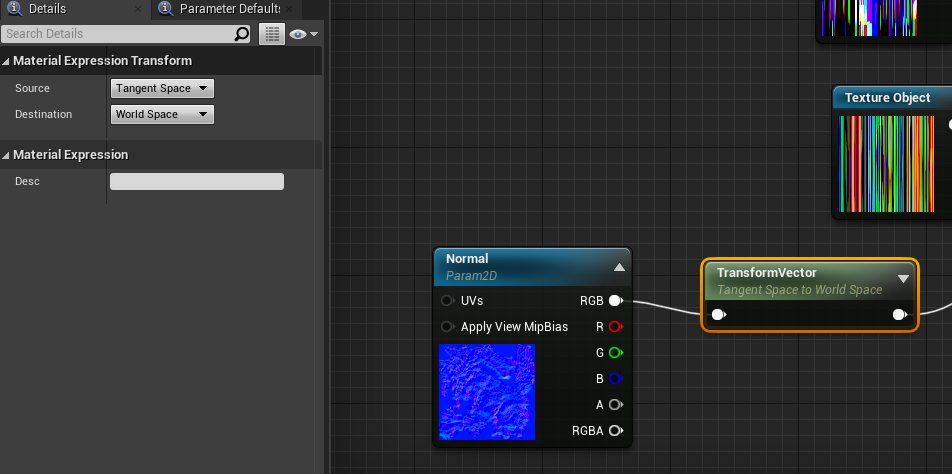
plugin all other textures

for the material itself under detail tab
check used with instanced static meshes
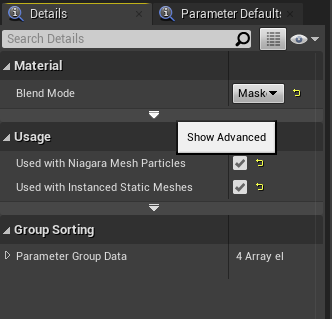
uncheck tangent space normal

I create a simple Niagara system to spawn the mesh

Tada
If you prefer to watch a video tutorial here is Justin Kiesskalt's youtube tutorial: https://youtu.be/wGMWQgvB3KE


Comments